
Ultomiris Start Form (Ravulizumab) – Download Patient Enrollment PDF
|
Form Name: |
Category: |
Page Count: |
File Format: |
|---|---|---|---|
|
Ultomiris Start Form |
Patient Support Program |
07 Pages |
PDF, Fillable PDF |
Ultomiris Start Form
The Ultomiris start form is an important document required to start treatment access support services for patients prescribed Ultomiris. It allows healthcare providers to initiate insurance verification, financial assistance review, infusion site coordination, and REMS vaccination compliance in one place. This online fillable, downloadable, and printable form helps reduce administrative delays and ensures a smoother treatment start. Start filling out the form today to avoid interruptions in care and treatment approval.
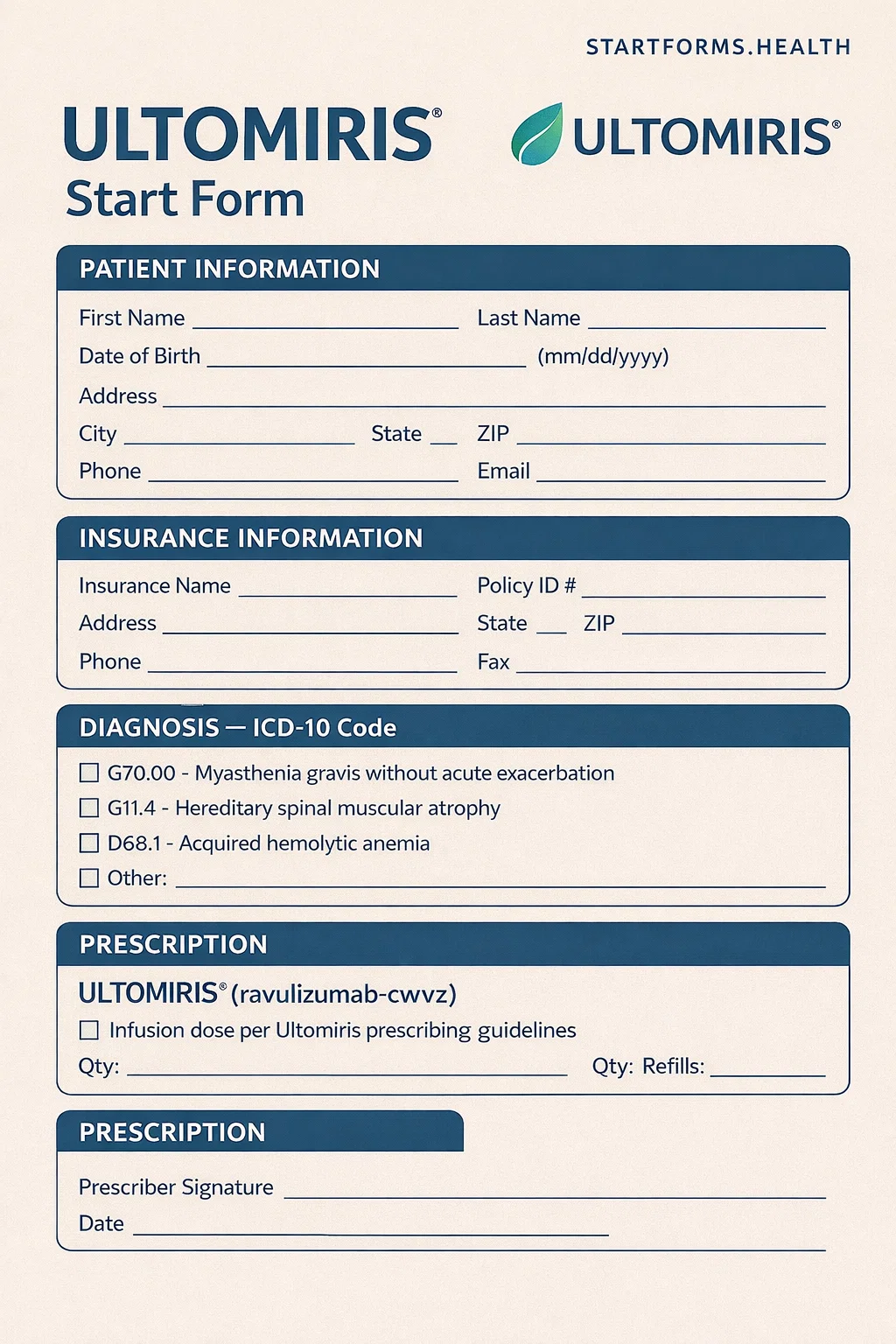
Form Preview
Benefits of The Ultomiris Prescriber Start Form
Multiple Support Services
The form allows prescribers to initiate treatment access, benefits investigation, financial review, and care coordination through one standardized submission, reducing legacy paperwork.
Insurance Verification
By collecting medical and pharmacy insurance information, the form helps OneSource perform a complete benefits investigation, which is necessary to assess coverage and avoid unexpected delays.
REMS Program Compliance
Ultomiris is available only through a restricted REMS program. The form ensures prescribers confirm vaccination status or request vaccination support, meeting safety and regulatory requirements.
Key Sections of The Ultomiris Start Form
Patient Information
This section includes the patient’s full name, address, date of birth, contact details, and email address.
Clinical Diagnosis
The prescriber must choose the appropriate diagnosis and correct ICD-10 codes.
Insurance Information
It includes primary and secondary medical insurance, pharmacy coverage, member ID, group ID, and other policy details.
Healthcare Prescriber Information
This section describes the provider’s name, practice name, NPI number, tax ID, and office contact details.
Site of Care Information
It lets providers request assistance locating an infusion site or specify an existing location, such as a prescriber’s office, infusion center, or home infusion provider.
Prescription Details
In this section, prescribers can enter Ultomiris dosing, patient weight, loading dose, vial quantity, and refill information.
Patient Vaccination History
This section includes a complete patient’s vaccination history.
How to Complete The Eylea Enrollment Form?
Patient Information: Provide the patient information, including their full name, mailing address, date of birth, email address, phone number, and legal patient representative details.
Clinical Diagnosis: Select the appropriate diagnosis box and ensure ICD-10 codes are accurate.
Insurance Information: Attach copies of medical and pharmacy insurance cards. Also, fill in the insurance provider, insurance phone number, cardholder name, cardholder date of birth, member ID, policy number, group number, BIN, and PCN sections.
Healthcare Prescriber Details: Write the healthcare provider name, complete address, practice name, tax ID, NPI, email, fax number, and office contact name.
Site of Care: Choose whether assistance is needed to locate the infusion site or confirm the patient’s infusion location. Fill in the site of care name, NPI number, tax ID, complete address, and office contact details for follow-up.
Prescription (Optional): Enter the patient’s weight, dosing schedule, vial quantities, and indicate whether the patient is starting therapy or transitioning from Soliris.
Patient Vaccination History: Confirm vaccination history, submit records via the REMS portal, or request vaccination support if needed.
Sign & Date: Ensure the prescriber signs and dates the certification section.
Download Ultomiris Start Form PDF
Choose your preferred format and download instantly
Frequently Asked Questions
What is the Ultomiris start form?
It is used by healthcare providers to enroll patients into treatment support services for Ultomiris. It initiates insurance benefit investigation, financial assistance review, infusion site coordination, and REMS program compliance.
Who can complete this form?
This form is completed by the prescribing healthcare provider. Some sections may require patient or legal representative information.
Do I need to fill out the insurance section if insurance cards are attached?
No. Providers may either attach the insurance cards or attach copies of the front and back of medical and pharmacy insurance cards.
Where can I submit the completed form?
The completed form must be faxed to OneSource at the number provided on the form.
Can I fill out the form online?
Of course, you can either fill it out electronically or download and print the form to complete it later.